
本文介绍了如何在Android中加载网络长图的方法。我们需要获取图片的URL地址,然后使用Glide或Picasso等第三方库来加载图片。在加载过程中,我们需要注意图片的大小和内存占用,避免出现OOM错误。
在Android中加载网络长图,可以使用Glide或者Picasso等第三方库,这里以Glide为例,给出一个简单的加载网络长图的实例。

1、添加依赖
在项目的build.gradle文件中添加Glide的依赖:
dependencies {
    implementation 'com.github.bumptech.glide:glide:4.12.0'
    annotationProcessor 'com.github.bumptech.glide:compiler:4.12.0'
}
2、在AndroidManifest.xml中添加网络权限:
<usespermission android:name="android.permission.INTERNET" />
3、创建布局文件activity_main.xml:
<?xml version="1.0" encoding="utf8"?>
<LinearLayout xmlns:android="http://schemas.android.com/apk/res/android"
    xmlns:app="http://schemas.android.com/apk/resauto"
    xmlns:tools="http://schemas.android.com/tools"
    android:layout_width="match_parent"
    android:layout_height="match_parent"
    android:orientation="vertical"
    tools:context=".MainActivity">
    <ImageView
        android:id="@+id/imageView"
        android:layout_width="match_parent"
        android:layout_height="wrap_content" />
</LinearLayout>
4、编写MainActivity.java:
import androidx.appcompat.app.AppCompatActivity;
import android.os.Bundle;
import com.bumptech.glide.Glide;
import android.widget.ImageView;
import java.net.URL;
public class MainActivity extends AppCompatActivity {
    private ImageView imageView;
    @Override
    protected void onCreate(Bundle savedInstanceState) {
        super.onCreate(savedInstanceState);
        setContentView(R.layout.activity_main);
        imageView = findViewById(R.id.imageView);
        String imageUrl = "https://example.com/long_image.jpg"; // 替换为实际的长图URL地址
        loadLongImage(imageUrl);
    }
    private void loadLongImage(String imageUrl) {
        Glide.with(this)
                .load(imageUrl)
                .into(imageView);
    }
}
5、运行程序,查看效果。
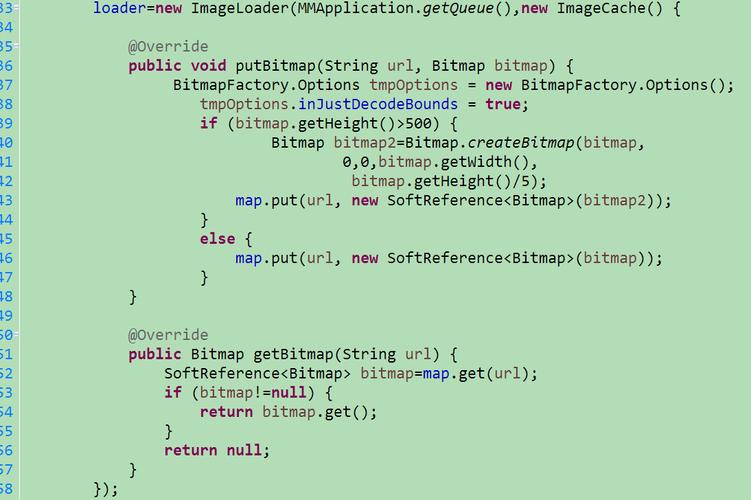
下面是一个关于Android加载网络长图和加载网络实例的介绍:
以下是针对每个库的详细操作:
Glide
.load(url).override(width, height).fitCenter()Picasso
.load(url).resize(width, height).centerInside()Fresco
SimpleDraweeView.setImageURI(Uri uri).setAspectRatio(aspectRatio).setAutoPlayAnimations(true)Volley
StringRequestImageRequestRequestQueue.add(request)OkHttp
OkHttpClient.newCall(request).enqueue(callback)OkHttpClient.newCall(request).execute()注意:这里只列出了部分常用的方法和操作,每个库都有更多的配置和功能供开发者使用,在实际项目中,可以根据需求选择合适的库和配置。
本文来源于互联网,如若侵权,请联系管理员删除,本文链接:https://www.9969.net/9956.html
