
安卓用什么连MySQL数据库
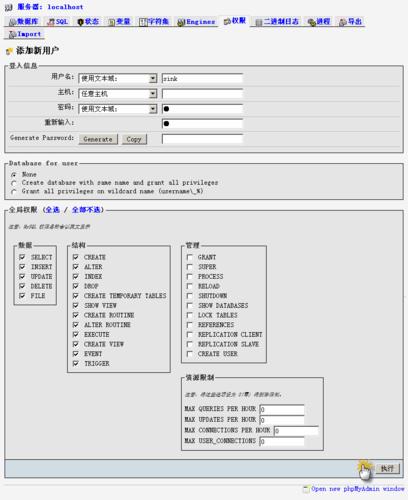

在安卓应用中连接MySQL数据库,通常需要使用JDBC(Java Database Connectivity)驱动,由于JDBC驱动的体积较大,不适合直接集成到安卓应用中,更好的方法是在服务器端创建一个API接口,安卓应用通过HTTP请求与服务器进行通信,服务器再将请求转发给MySQL数据库。
创建API接口
需要在服务器端创建一个API接口,用于处理安卓应用的请求,这里以Python的Flask框架为例:
from flask import Flask, request, jsonify
import pymysql
app = Flask(__name__)
@app.route('/api/data', methods=['GET'])
def get_data():
    # 连接MySQL数据库
    db = pymysql.connect("localhost", "username", "password", "database")
    cursor = db.cursor()
    # 执行查询语句
    cursor.execute("SELECT * FROM table")
    data = cursor.fetchall()
    # 关闭数据库连接
    cursor.close()
    db.close()
    # 返回查询结果
    return jsonify(data)
if __name__ == '__main__':
    app.run(host='0.0.0.0', port=5000)
安卓应用发送HTTP请求
在安卓应用中,可以使用HttpURLConnection或者第三方库如Retrofit、Volley等发送HTTP请求,这里以HttpURLConnection为例:
private String getDataFromServer() {
    String result = null;
    try {
        URL url = new URL("http://yourserver.com:5000/api/data");
        HttpURLConnection connection = (HttpURLConnection) url.openConnection();
        connection.setRequestMethod("GET");
        connection.setConnectTimeout(5000);
        connection.setReadTimeout(5000);
        int responseCode = connection.getResponseCode();
        if (responseCode == HttpURLConnection.HTTP_OK) {
            InputStream inputStream = connection.getInputStream();
            BufferedReader reader = new BufferedReader(new InputStreamReader(inputStream));
            StringBuilder stringBuilder = new StringBuilder();
            String line;
            while ((line = reader.readLine()) != null) {
                stringBuilder.append(line);
            }
            result = stringBuilder.toString();
        }
    } catch (Exception e) {
        e.printStackTrace();
    }
    return result;
}
解析JSON数据
将服务器返回的JSON数据解析为Java对象,可以使用第三方库如Gson、Jackson等,这里以Gson为例:
import com.google.gson.Gson;
import com.google.gson.reflect.TypeToken;
import java.util.List;
public class Data {
    // 定义数据模型类
}
public List<Data> parseJson(String json) {
    Gson gson = new Gson();
    List<Data> dataList = gson.fromJson(json, new TypeToken<List<Data>>(){}.getType());
    return dataList;
}
归纳
通过上述步骤,安卓应用可以间接地连接MySQL数据库,这种方式的好处是避免了将JDBC驱动集成到安卓应用中,降低了应用的体积,通过API接口,可以提高数据的安全性和可控性。
本文来源于互联网,如若侵权,请联系管理员删除,本文链接:https://www.9969.net/6984.html

