
“html,,,,,,登录页面,,, body {, display: flex;, justifycontent: center;, alignitems: center;, height: 100vh;, backgroundcolor: #f0f0f0;, }, .loginform {, width: 300px;, padding: 20px;, backgroundcolor: #fff;, borderradius: 5px;, boxshadow: 0 0 10px rgba(0, 0, 0, 0.1);, }, .loginform input {, width: 100%;, padding: 10px;, marginbottom: 10px;, border: 1px solid #ccc;, borderradius: 3px;, }, .loginform button {, width: 100%;, padding: 10px;, backgroundcolor: #007bff;, color: #fff;, border: none;, borderradius: 3px;, cursor: pointer;, },,,,,,,登录,,, $('button').on('click', function() {, var username = $('input[type="text"]').val();, var password = $('input[type="password"]').val();, if (username && password) {, alert('登录成功,欢迎 ' + username + '!');, } else {, alert('请输入用户名和密码');, }, });,,,,“
使用Jquery打造最佳用户体验的登录页面的实现代码
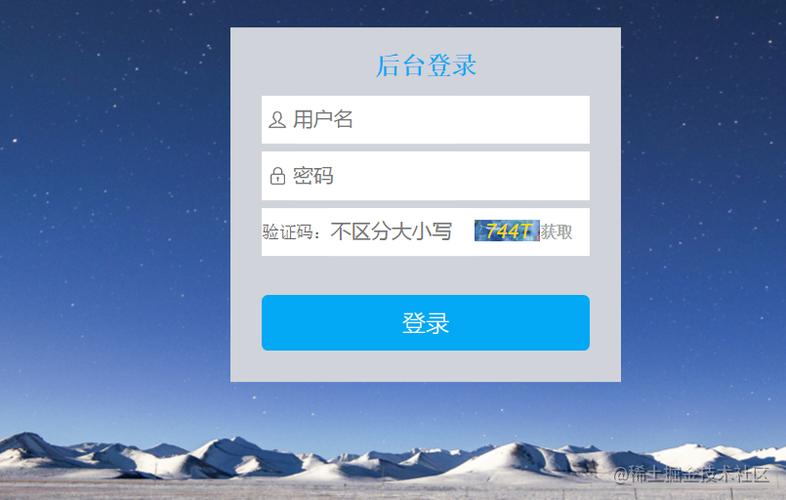
1. 页面布局与样式设计
我们需要创建一个基本的HTML结构来容纳登录表单,我们可以使用CSS来美化页面和表单元素。
<!DOCTYPE html>
<html lang="en">
<head>
    <meta charset="UTF8">
    <title>Login Page</title>
    <link rel="stylesheet" href="styles.css">
</head>
<body>
    <div class="logincontainer">
        <h2>Login</h2>
        <form id="loginform">
            <input type="text" id="username" placeholder="Username" required>
            <input type="password" id="password" placeholder="Password" required>
            <button type="submit">Login</button>
        </form>
    </div>
    <script src="https://code.jquery.com/jquery3.6.0.min.js"></script>
    <script src="script.js"></script>
</body>
</html> 我们编写CSS文件styles.css来美化登录页面:
body {
    fontfamily: Arial, sansserif;
    backgroundcolor: #f4f4f4;
}
.logincontainer {
    width: 300px;
    margin: 100px auto;
    backgroundcolor: #fff;
    padding: 20px;
    borderradius: 5px;
    boxshadow: 0 0 10px rgba(0, 0, 0, 0.1);
}
h2 {
    textalign: center;
    marginbottom: 20px;
}
input[type="text"], input[type="password"] {
    width: 100%;
    padding: 10px;
    marginbottom: 10px;
    border: 1px solid #ccc;
    borderradius: 3px;
}
button {
    width: 100%;
    padding: 10px;
    backgroundcolor: #007bff;
    color: #fff;
    border: none;
    borderradius: 3px;
    cursor: pointer;
}
2. 使用Jquery处理表单提交和验证
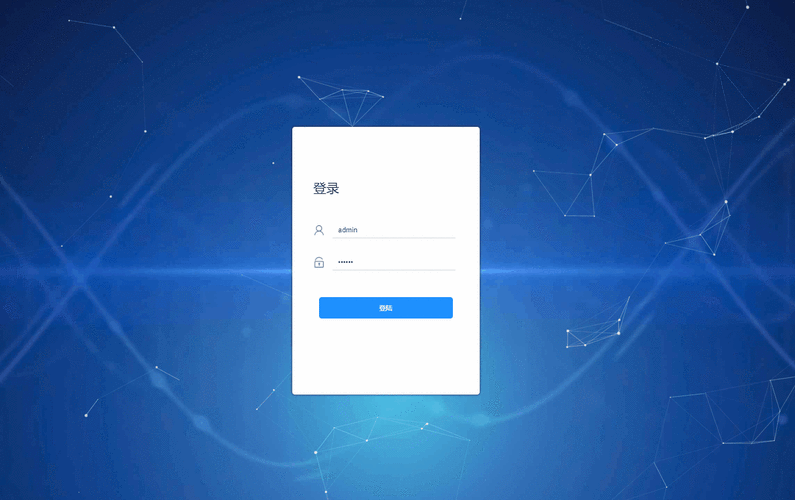
在script.js文件中,我们将使用Jquery来处理表单提交和验证用户输入。
$(document).ready(function() {
    $('#loginform').on('submit', function(event) {
        event.preventDefault(); // Prevent form from submitting normally
        var username = $('#username').val();
        var password = $('#password').val();

        // Perform validation checks here (e.g., check if fields are empty)
        if (username === '' || password === '') {
            alert('Please fill in all fields');
            return;
        }

        // If validation passes, send data to server for authentication
        $.ajax({
            type: 'POST',
            url: '/login', // Replace with your server endpoint
            data: {
                username: username,
                password: password
            },
            success: function(response) {
                // Handle successful login (e.g., redirect to home page)
                window.location.href = '/home'; // Replace with your home page URL
            },
            error: function(error) {
                // Handle login failure (e.g., show error message)
                alert('Invalid username or password');
            }
        });
    });
});
3. 问题与解答栏目
问题1:如何优化登录页面的性能?
解答:为了提高登录页面的性能,可以采取以下措施:
压缩和合并CSS和JavaScript文件以减少HTTP请求的数量。
使用浏览器缓存来存储静态资源,如图片、CSS和JavaScript文件。

使用CDN(内容分发网络)来加速资源的加载速度。
对服务器进行性能调优,例如启用Gzip压缩、缓存等。
避免使用过多的动画和复杂的UI效果,因为它们可能会影响页面加载速度。
使用异步加载技术,如懒加载或按需加载,以减少初始加载时间。
问题2:如何保护用户的密码安全?
解答:保护用户密码的安全非常重要,以下是一些建议:
使用HTTPS协议来加密数据传输,防止中间人攻击。
在服务器端对密码进行哈希处理,不要直接存储明文密码,常用的哈希算法有SHA256或bcrypt。
限制尝试登录的次数,以防止暴力破解攻击,可以使用验证码或双因素认证增加安全性。
提供找回密码的功能,允许用户通过邮箱或手机重置密码。
本文来源于互联网,如若侵权,请联系管理员删除,本文链接:https://www.9969.net/40263.html


