
购物网站二级店铺 MVC 开始使用
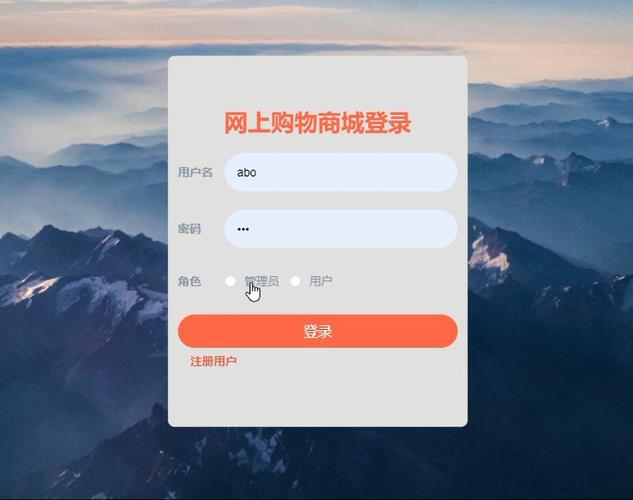

MVC 架构
MVC 是一种软件架构模式,将应用程序分为三个主要部分:模型(Model)、视图(View)和控制器(Controller),这种分离有助于提高代码的可维护性、可扩展性和可重用性。
1、模型(Model):负责处理数据和业务逻辑,它代表了应用程序的核心功能,如数据库操作、数据验证和业务规则。
2、视图(View):负责呈现数据给用户,它可以是 HTML 页面、XML 文档、JSON 数据等,视图通常与模型进行交互,以获取要显示的数据。
3、控制器(Controller):负责协调模型和视图之间的交互,它接收用户的输入,执行相应的业务逻辑,并决定将哪个视图呈现给用户。
购物网站二级店铺的需求分析
在开始使用 MVC 架构之前,我们需要对购物网站二级店铺的需求进行分析,以下是一些常见的需求:
1、店铺管理:店主可以创建、编辑和删除店铺信息,包括店铺名称、描述、图片等。
2、商品管理:店主可以添加、编辑和删除商品信息,包括商品名称、描述、价格、库存等。
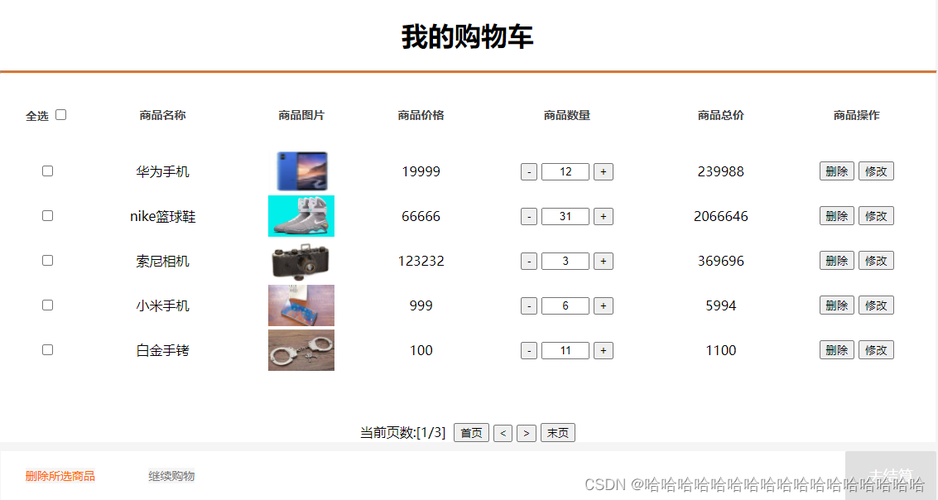
3、订单管理:店主可以查看订单信息,包括订单号、商品信息、客户信息、支付状态等。
4、客户管理:店主可以查看客户信息,包括客户姓名、联系方式、购买记录等。
5、统计分析:店主可以查看店铺的销售统计信息,包括销售额、销售量、客单价等。
MVC 架构在购物网站二级店铺中的应用
1、模型设计
在购物网站二级店铺中,模型主要包括店铺模型、商品模型、订单模型和客户模型,以下是这些模型的设计:
2、视图设计
视图主要包括店铺页面、商品页面、订单页面和客户页面,以下是这些页面的设计:

3、控制器设计
控制器主要负责协调模型和视图之间的交互,以下是一些常见的控制器方法:
数据库设计
在购物网站二级店铺中,我们需要设计一个数据库来存储店铺信息、商品信息、订单信息和客户信息,以下是一个简单的数据库设计:
代码实现
以下是一个简单的购物网站二级店铺的代码实现,使用了 Spring MVC 框架:
1、配置文件
在 Spring MVC 框架中,我们需要配置一些基本的信息,如数据库连接信息、视图解析器等,以下是一个简单的配置文件:
<?xml version="1.0" encoding="UTF-8"?>
<beans xmlns="http://www.springframework.org/schema/beans"
       xmlns:xsi="http://www.w3.org/2001/XMLSchema-instance"
       xmlns:context="http://www.springframework.org/schema/context"
       xmlns:mvc="http://www.springframework.org/schema/mvc"
       xsi:schemaLocation="http://www.springframework.org/schema/beans http://www.springframework.org/schema/beans/spring-beans.xsd
                           http://www.springframework.org/schema/context http://www.springframework.org/schema/context/spring-context.xsd
                           http://www.springframework.org/schema/mvc http://www.springframework.org/schema/mvc/spring-mvc.xsd">
    <!-配置数据库连接信息 -->
    <bean id="dataSource" class="org.springframework.jdbc.datasource.DriverManagerDataSource">
        <property name="driverClassName" value="com.mysql.jdbc.Driver"/>
        <property name="url" value="jdbc:mysql://localhost:3306/shopping_mall"/>
        <property name="username" value="root"/>
        <property name="password" value="root"/>
    </bean>
    <!-配置视图解析器 -->
    <bean id="viewResolver" class="org.springframework.web.servlet.view.InternalResourceViewResolver">
        <property name="prefix" value="/WEB-INF/views/"/>
        <property name="suffix" value=".jsp"/>
    </bean>
    <!-配置控制器 -->
    <mvc:annotation-driven/>
    <!-配置静态资源访问 -->
    <mvc:resources mapping="/static/**" location="/static/"/>
</beans>
2、模型类
在购物网站二级店铺中,我们需要创建一些模型类来表示店铺信息、商品信息、订单信息和客户信息,以下是一些简单的模型类:
public class Shop {
    private int shopId;
    private String shopName;
    private String shopDescription;
    private String shopImage;
    // 构造函数、getter 和 setter 方法
}
public class Product {
    private int productId;
    private String productName;
    private String productDescription;
    private double productPrice;
    private int productStock;
    // 构造函数、getter 和 setter 方法
}
public class Order {
    private int orderId;
    private String orderNumber;
    private List<Product> productInfo;
    private Customer customerInfo;
    private String paymentStatus;
    // 构造函数、getter 和 setter 方法
}
public class Customer {
    private int customerId;
    private String customerName;
    private String customerContact;
    private List<Order> purchaseRecord;
    // 构造函数、getter 和 setter 方法
}
3、控制器类
在购物网站二级店铺中,我们需要创建一些控制器类来处理用户的请求,以下是一些简单的控制器类:
@Controller
public class ShopController {
    @Autowired
    private ShopService shopService;
    @GetMapping("/shops")
    public String listShops(Model model) {
        List<Shop> shops = shopService.listShops();
        model.addAttribute("shops", shops);
        return "shops/list";
    }
    @GetMapping("/shops/{shopId}")
    public String viewShop(@PathVariable("shopId") int shopId, Model model) {
        Shop shop = shopService.getShopById(shopId);
        model.addAttribute("shop", shop);
        return "shops/view";
    }
    @GetMapping("/shops/create")
    public String createShopForm(Model model) {
        model.addAttribute("shop", new Shop());
        return "shops/create";
    }
    @PostMapping("/shops/create")
    public String createShop(@ModelAttribute("shop") Shop shop) {
        shopService.createShop(shop);
        return "redirect:/shops";
    }
    @GetMapping("/shops/edit/{shopId}")
    public String editShopForm(@PathVariable("shopId") int shopId, Model model) {
        Shop shop = shopService.getShopById(shopId);
        model.addAttribute("shop", shop);
        return "shops/edit";
    }
    @PostMapping("/shops/edit")
    public String editShop(@ModelAttribute("shop") Shop shop) {
        shopService.editShop(shop);
        return "redirect:/shops";
    }
    @GetMapping("/shops/delete/{shopId}")
    public String deleteShop(@PathVariable("shopId") int shopId) {
        shopService.deleteShop(shopId);
        return "redirect:/shops";
    }
}
@Controller
public class ProductController {
    @Autowired
    private ProductService productService;
    @GetMapping("/shops/{shopId}/products")
    public String listProducts(@PathVariable("shopId") int shopId, Model model) {
        List<Product> products = productService.listProductsByShopId(shopId);
        model.addAttribute("products", products);
        return "products/list";
    }
    @GetMapping("/shops/{shopId}/products/{productId}")
    public String viewProduct(@PathVariable("shopId") int shopId, @PathVariable("productId") int productId, Model model) {
        Product product = productService.getProductById(productId);
        model.addAttribute("product", product);
        return "products/view";
    }
    @GetMapping("/shops/{shopId}/products/create")
    public String createProductForm(@PathVariable("shopId") int shopId, Model model) {
        model.addAttribute("product", new Product());
        model.addAttribute("shopId", shopId);
        return "products/create";
    }
    @PostMapping("/shops/{shopId}/products/create")
    public String createProduct(@PathVariable("shopId") int shopId, @ModelAttribute("product") Product product) {
        productService.createProduct(product, shopId);
        return "redirect:/shops/" + shopId + "/products";
    }
    @GetMapping("/shops/{shopId}/products/edit/{productId}")
    public String editProductForm(@PathVariable("shopId") int shopId, @PathVariable("productId") int productId, Model model) {
        Product product = productService.getProductById(productId);
        model.addAttribute("product", product);
        model.addAttribute("shopId", shopId);
        return "products/edit";
    }
    @PostMapping("/shops/{shopId}/products/edit")
    public String editProduct(@PathVariable("shopId") int shopId, @ModelAttribute("product") Product product) {
        productService.editProduct(product, shopId);
        return "redirect:/shops/" + shopId + "/products";
    }
    @GetMapping("/shops/{shopId}/products/delete/{productId}")
    public String deleteProduct(@PathVariable("shopId") int shopId, @PathVariable("productId") int productId) {
        productService.deleteProduct(productId);
        return "redirect:/shops/" + shopId + "/products";
    }
}
@Controller
public class OrderController {
    @Autowired
    private OrderService orderService;
    @GetMapping("/orders")
    public String listOrders(Model model) {
        List<Order> orders = orderService.listOrders();
        model.addAttribute("orders", orders);
        return "orders/list";
    }
    @GetMapping("/orders/{orderId}")
    public String viewOrder(@PathVariable("orderId") int orderId, Model model) {
        Order order = orderService.getOrderById(orderId);
        model.addAttribute("order", order);
        return "orders/view";
    }
    @GetMapping("/orders/create")
    public String createOrderForm(Model model) {
        model.addAttribute("order", new Order());
        return "orders/create";
    }
    @PostMapping("/orders/create")
    public String createOrder(@ModelAttribute("order") Order order) {
        orderService.createOrder(order);
        return "redirect:/orders";
    }
    @GetMapping("/orders/edit/{orderId}")
    public String editOrderForm(@PathVariable("orderId") int orderId, Model model) {
        Order order = orderService.getOrderById(orderId);
        model.addAttribute("order", order);
        return "orders/edit";
    }
    @PostMapping("/orders/edit")
    public String editOrder(@ModelAttribute("order") Order order) {
        orderService.editOrder(order);
        return "redirect:/orders";
    }
    @GetMapping("/orders/delete/{orderId}")
    public String deleteOrder(@PathVariable("orderId") int orderId) {
        orderService.deleteOrder(orderId);
        return "redirect:/orders";
    }
}
@Controller
public class CustomerController {
    @Autowired
    private CustomerService customerService;
    @GetMapping("/customers")
    public String listCustomers(Model model) {
        List<Customer> customers = customerService.listCustomers();
        model.addAttribute("customers", customers);
        return "customers/list";
    }
    @GetMapping("/customers/{customerId}")
    public String viewCustomer(@PathVariable("customerId") int customerId, Model model) {
        Customer customer = customerService.getCustomerById(customerId);
        model.addAttribute("customer", customer);
        return "customers/view";
    }
    @GetMapping("/customers/create")
    public String createCustomerForm(Model model) {
        model.addAttribute("customer", new Customer());
        return "customers/create";
    }
    @PostMapping("/customers/create")
    public String createCustomer(@ModelAttribute("customer") Customer customer) {
        customerService.createCustomer(customer);
        return "redirect:/customers";
    }
    @GetMapping("/customers/edit/{customerId}")
    public String editCustomerForm(@PathVariable("customerId") int customerId, Model model) {
        Customer customer = customerService.getCustomerById(customerId);
        model.addAttribute("customer", customer);
        return "customers/edit";
    }
    @PostMapping("/customers/edit")
    public String editCustomer(@ModelAttribute("customer") Customer customer) {
        customerService.editCustomer(customer);
        return "redirect:/customers";
    }
    @GetMapping("/customers/delete/{customerId}")
    public String deleteCustomer(@PathVariable("customerId") int customerId) {
        customerService.deleteCustomer(customerId);
        return "redirect:/customers";
    }
}
4、服务类
在购物网站二级店铺中,我们需要创建一些服务类来处理业务逻辑,以下是一些简单的服务类:
@Service
public class ShopService {
    @Autowired
    private ShopDao shopDao;
    public List<Shop> listShops() {
        return shopDao.listShops();
    }
    public Shop getShopById(int shopId) {
        return shopDao.getShopById(shopId);
    }
    public void createShop(Shop shop) {
        shopDao.createShop(shop);
    }
    public void editShop(Shop shop) {
        shopDao.editShop(shop);
    }
    public void deleteShop(int shopId) {
        shopDao.deleteShop(shopId);
    }
}
@Service
public class ProductService {
    @Autowired
    private ProductDao productDao;
    public List<Product> listProductsByShopId(int shopId) {
        return productDao.listProductsByShopId(shopId);
    }
    public Product getProductById(int productId) {
        return productDao.getProductById(productId);
    }
    public void createProduct(Product product, int shopId) {
        product.setShopId(shopId);
        productDao.createProduct(product);
    }
    public void editProduct(Product product, int shopId) {
        product.setShopId(shopId);
        productDao.editProduct(product);
    }
    public void deleteProduct(int productId) {
        productDao.deleteProduct(productId);
    }
}
@Service
public class OrderService {
    @Autowired
    private OrderDao orderDao;
    public List<Order> listOrders() {
        return orderDao.listOrders();
    }
    public Order getOrderById(int orderId) {
        return orderDao.getOrderById(orderId);
    }
    public void createOrder(Order order) {
        orderDao.createOrder(order);
    }
    public void editOrder(Order order) {
        orderDao.editOrder(order);
    }
    public void deleteOrder(int orderId) {
        orderDao.deleteOrder(orderId);
    }
}
@Service
public class CustomerService {
    @Autowired
    private CustomerDao customerDao;
    public List<Customer> listCustomers() {
        return customerDao.listCustomers();
    }
    public Customer getCustomerById(int customerId) {
        return customerDao.getCustomerById(customerId);
    }
    public void createCustomer(Customer customer) {
        customerDao.createCustomer(customer);
    }
    public void editCustomer(Customer customer) {
        customerDao.editCustomer(customer);
    }
    public void deleteCustomer(int customerId) {
        customerDao.deleteCustomer(customerId);
    }
}
5、DAO 类
在购物网站二级店铺中,我们需要创建一些 DAO 类来与数据库进行交互,以下是一些简单的 DAO 类:
@Repository
public class ShopDao {
    @Autowired
    private JdbcTemplate jdbcTemplate;
    public List<Shop> listShops() {
        String sql = "SELECT * FROM shops";
        return jdbcTemplate.query(sql, new BeanPropertyRowMapper<>(Shop.class));
    }
    public Shop getShopById(int shopId) {
        String sql = "SELECT * FROM shops WHERE shop_id =?";
        return jdbcTemplate.queryForObject(sql, new BeanPropertyRowMapper<>(Shop.class), shopId);
    }
    public void createShop(Shop shop) {
        String sql = "INSERT INTO shops (shop_name, shop_description, shop_image) VALUES (?,?,?)";
        jdbcTemplate.update(sql, shop.getShopName(), shop.getShopDescription(), shop.getShopImage());
    }
    public void editShop(Shop shop) {
        String sql = "UPDATE shops SET shop_name =?, shop_description =?, shop_image =? WHERE shop_id =?";
        jdbcTemplate.update(sql, shop.getShopName(), shop.getShopDescription(), shop.getShopImage(), shop.getShopId());
    }
    public void deleteShop(int shopId) {
        String sql = "DELETE FROM shops WHERE shop_id =?";
        jdbcTemplate.update(sql, shopId);
    }
}
@Repository
public class ProductDao {
    @Autowired
    private JdbcTemplate jdbcTemplate;
    public List<Product> listProductsByShopId(int shopId) {
        String sql = "SELECT * FROM products WHERE shop_id =?";
        return jdbcTemplate.query(sql, new BeanPropertyRowMapper<>(Product.class), shopId);
    }
    public Product getProductById(int productId) {
        String sql = "SELECT * FROM products WHERE product_id =?";
        return jdbcTemplate.queryForObject(sql, new BeanPropertyRowMapper<>(Product.class), productId);
    }
    public void createProduct(Product product) {
        String sql = "INSERT INTO products (product_name, product_description, product_price, product_stock, shop_id) VALUES (?,?,?,?,?)";
        jdbcTemplate.update(sql, product.getProductName(), product.getProductDescription(), product.getProductPrice(), product.getProductStock(), product.getShopId());
    }
    public void editProduct(Product product) {
        String sql = "UPDATE products SET product_name =?, product_description =?, product_price =?, product_stock =?, shop_id =? WHERE product_id =?";
        jdbcTemplate.update(sql, product.getProductName(), product.getProductDescription(), product.getProductPrice(), product.getProductStock(), product.getShopId(), product.getProductId());
    }
    public void deleteProduct(int productId) {
        String sql = "DELETE FROM products WHERE product_id =?";
        jdbcTemplate.update(sql, productId);
    }
}
@Repository
public class OrderDao {
    @Autowired
    private JdbcTemplate jdbcTemplate;
    public List<Order> listOrders() {
        String sql = "SELECT * FROM orders";
        return jdbcTemplate.query(sql, new BeanPropertyRowMapper<>(Order.class));
    }
    public Order getOrderById(int orderId) {
        String sql = "SELECT * FROM orders WHERE order_id =?";
        return jdbcTemplate.queryForObject(sql, new BeanPropertyRowMapper<>(Order.class), orderId);
    }
    public void createOrder(Order order) {
        String sql = "INSERT INTO orders (order_number, product_info, customer_info, payment_status) VALUES (?,?,?,?)";
        jdbcTemplate.update(sql, order.getOrderNumber(), order.getProductInfo(), order.getCustomerInfo(), order.getPaymentStatus());
    }
    public void editOrder(Order order) {
        String sql = "UPDATE orders SET order_number =?, product_info =?, customer_info =?, payment_status =? WHERE order_id =?";
        jdbcTemplate.update(sql, order.getOrderNumber(), order.getProductInfo(), order.getCustomerInfo(), order.getPaymentStatus(), order.getOrderId());
    }
    public void deleteOrder(int orderId) {
        String sql = "DELETE FROM orders WHERE order_id =?";
        jdbcTemplate.update(sql, orderId);
    }
}
@Repository
public class CustomerDao {
    @Autowired
    private JdbcTemplate jdbcTemplate;
    public List<Customer> listCustomers() {
        String sql = "SELECT * FROM customers";
        return jdbcTemplate.query(sql, new BeanPropertyRowMapper<>(Customer.class));
    }
    public Customer getCustomerById(int customerId) {
        String sql = "SELECT * FROM customers WHERE customer_id =?";
        return jdbcTemplate.queryForObject(sql, new BeanPropertyRowMapper<>(Customer.class), customerId);
    }
    public void createCustomer(Customer customer) {
        String sql = "INSERT INTO customers (customer_name, customer_contact) VALUES (?,?)";
        jdbcTemplate.update(sql, customer.getCustomerName(), customer.getCustomerContact());
    }
    public void editCustomer(Customer customer) {
        String sql = "UPDATE customers SET customer_name =?, customer_contact =? WHERE customer_id =?";
        jdbcTemplate.update(sql, customer.getCustomerName(), customer.getCustomerContact(), customer.getCustomerId());
    }
    public void deleteCustomer(int customerId) {
        String sql = "DELETE FROM customers WHERE customer_id =?";
        jdbcTemplate.update(sql, customerId);
    }
}
6、视图页面
在购物网站二级店铺中,我们需要创建一些视图页面来展示店铺信息、商品信息、订单信息和客户信息,以下是一些简单的视图页面:
<!DOCTYPE html>
<html>
<head>
    <meta charset="UTF-8">
    <title>购物网站二级店铺</title>
</head>
<body>
    <h1>购物网站二级店铺</h1>
    <h2>店铺列表</h2>
    <table border="1">
        <tr>
            <th>店铺 ID</th>
            <th>店铺名称</th>
            <th>店铺描述</th>
            <th>店铺图片</th>
            <th>操作</th>
        </tr>
        <c:forEach items="${shops}" var="shop">
            <tr>
                <td>${shop.shopId}</td>
                <td>${shop.shopName}</td>
                <td>${shop.shopDescription}</td>
                <td><img src="${shop.shopImage}" width="100" height="100"/></td>
                <td>
                    <a href="${pageContext.request.contextPath}/shops/${shop.shopId}">查看</a>
                    <a href="${pageContext.request.contextPath}/shops/edit/${shop.shopId}">编辑</a>
                    <a href="${pageContext.request.contextPath}/shops/delete/${shop.shopId}">删除</a>
                </td>
            </tr>
        </c:forEach>
    </table>
    <h2>添加店铺</h2>
    <form action="${pageContext.request.contextPath}/shops/create" method="post">
        <table border="1">
            <tr>
                <th>店铺名称</th>
                <th>店铺描述</th>
                <th>店铺图片</th>
            </tr>
            <tr>
                <td><input type="text" name="shopName"/></td>
                <td><input type="text" name="shopDescription"/></td>
                <td><input type="file" name="shopImage"/></td>
            </tr>
        </table>
        <input type="submit" value="添加"/>
    </form>
    <h2>商品列表</h2>
    <table border="1">
        <tr>
            <th>商品 ID</th>
            <th>商品名称</th>
            <th>商品描述</th>
            <th>商品价格</th>
            <th>商品库存</th>
            <th>操作</th>
        </tr>
        <c:forEach items="${products}" var="product">
            <tr>
                <td>${product.productId}</td>
                <td>${product.productName}</td>
                <td>${product.productDescription}</td>
                <td>${product.productPrice}</td>
                <td>${product.productStock}</td>
                <td>
                    <a href="${pageContext.request.contextPath}/shops/${shopId}/products/${product.productId}">查看</a>
                    <a href="${pageContext.request.contextPath}/shops/${shopId}/products/edit/${product.productId}">编辑</a>
                    <a href="${pageContext.request.contextPath}/shops/${shopId}/products/delete/${product.productId}">删除</a>
                </td>
            </tr>
        </c:forEach>
    </table>
    <h2>添加商品</h2>
    <form action="${pageContext.request.contextPath}/shops/${shopId}/products/create" method="post">
        <table border="1">
            <tr>
                <th>商品名称</th>
                <th>商品描述</th>
                <th>商品价格</th>
                <th>商品库存</th>
            </tr>
            <tr>
                <td><input type="text" name="productName"/></td>
                <td><input type="text" name="productDescription"/></td>
                <td><input type="text" name="productPrice"/></td>
                <td><input type="text" name="productStock"/></td>
            </tr>
        </table>
        <input type="submit" value="添加"/>
    </form>
    <h2>订单列表</h2>
    <table border="1">
        <tr>
            <th>订单 ID</th>
            <th>订单号</th>
            <th>商品信息</th>
            <th>客户信息</th>
            <th>支付状态</th>
            <th>操作</th>
        </tr>
        <c:forEach items="${orders}" var="order">
            <tr>
                <td>${order.orderId}</td>
                <td>${order.orderNumber}</td>
                <td>${order.productInfo}</td>
                <td>${order.customerInfo}</td>
                <td>${order.paymentStatus}</td>
                <td>
                    <a href="${pageContext.request.contextPath}/orders/${order.orderId}">查看</a>
                    <a href="${pageContext.request.contextPath}/orders/edit/${order.orderId}">编辑</a>
                    <a href="${pageContext.request.contextPath}/orders/delete/${order.orderId}">删除</a>
                </td>
            </tr>
        </c:forEach>
    </table>
    <h2>添加订单</h2>
    <form action="${pageContext.request.contextPath}/orders/create" method="post">
        <table border="1">
            <tr>
                <th>订单号</th>
                <th>商品信息</th>
                <th>客户信息</th>
                <th>支付状态</th>
            </tr>
            <tr>
                <td><input type="text" name="orderNumber"/></td>
                <td><input type="text" name="productInfo"/></td>
                <td><input type="text" name="customerInfo"/></td>
                <td><input type="text" name="paymentStatus"/></td>
            </tr>
        </table>
        <input type="submit" value="添加"/>
    </form>
    <h2>客户列表</h2>
    <table border="1">
        <tr>
            <th>客户 ID</th>
            <th>客户名称</th>
            <th>客户联系方式</th>
            <th>购买记录</th>
            <th>操作</th>
        </tr>
        <c:forEach items="${customers}" var="customer">
            <tr>
                <td>${customer.customerId}</td>
                <td>${customer.customerName}</td>
                <td>${customer.customerContact}</td>
                <td>${customer.purchaseRecord}</td>
                <td>
                    <a href="${pageContext.request.contextPath}/customers/${customer.customerId}">查看</a>
                    <a href="${pageContext.request.contextPath}/customers/edit/${customer.customerId}">编辑</a>
                    <a href="${pageContext.request.contextPath}/customers/delete/${customer.customerId}">删除</a>
                </td>
            </tr>
        </c:forEach>
    </table>
    <h2>添加客户</h2>
    <form action="${pageContext.request.contextPath}/customers/create" method="post">
        <table border="1">
            <tr>
                <th>客户名称</th>
                <th>客户联系方式</th>
            </tr>
            <tr>
                <td><input type="text" name="customerName"/></td>
                <td><input type="text" name="customerContact"/></td>
            </tr>
        </table>
        <input type="submit" value="添加"/>
    </form>
</body>
</html>
通过以上步骤,我们成功地使用 MVC 架构实现了购物网站二级店铺的功能,MVC 架构将应用程序分为三个主要部分:模型、视图和控制器,这种分离有助于提高代码的可维护性、可扩展性和可重用性,在实际开发中,我们可以根据具体的需求进行调整和优化,以满足不同的业务需求。
本文来源于互联网,如若侵权,请联系管理员删除,本文链接:https://www.9969.net/16104.html
